


10M Moray ME202R 433MHz Capteur submersible de niveau de réservoir WIFI, affichage température LED, alarme à distance et haute précision
Prix habituel
$164.17
Prix de vente
$164.17
Prix habituel
$0.00
Prix unitaire
Taxe inclu.
App alerts
1-Year Warranty
Factory support
MORAY SMART · Smart Home Tank Monitoring
Smart water level monitoring for everyday homes, gardens and remote tanks
10M Moray ME202R 433MHz Capteur submersible de niveau de réservoir WIFI, affichage température LED, alarme à distance et haute précision is part of the MoraySmart smart tank monitoring range, designed for C-end users who want a simple way to see tank level from a phone, receive alerts and reduce manual checking.
For water tanks
Use MoraySmart water tank level sensors for rooftop tanks, rainwater storage, garden irrigation, farm tanks and daily household water management. WiFi, Zigbee, RF433, solar and radar options help match different installation environments.
For oil, diesel and LPG
MoraySensor and MorayElec products also support diesel tanks, oil tanks, fuel storage and non-contact LPG cylinder monitoring, helping users plan refills before the tank becomes empty.
Built for app control
Smart Life and Tuya app monitoring makes the product easier to understand for home users: level status, alerts, automation and remote checking are presented in a familiar smart home workflow.

10M Moray ME202R 433MHz Capteur submersible de niveau de réservoir WIFI, affichage température LED, alarme à distance et haute précision


Home, Smart MORAY Home
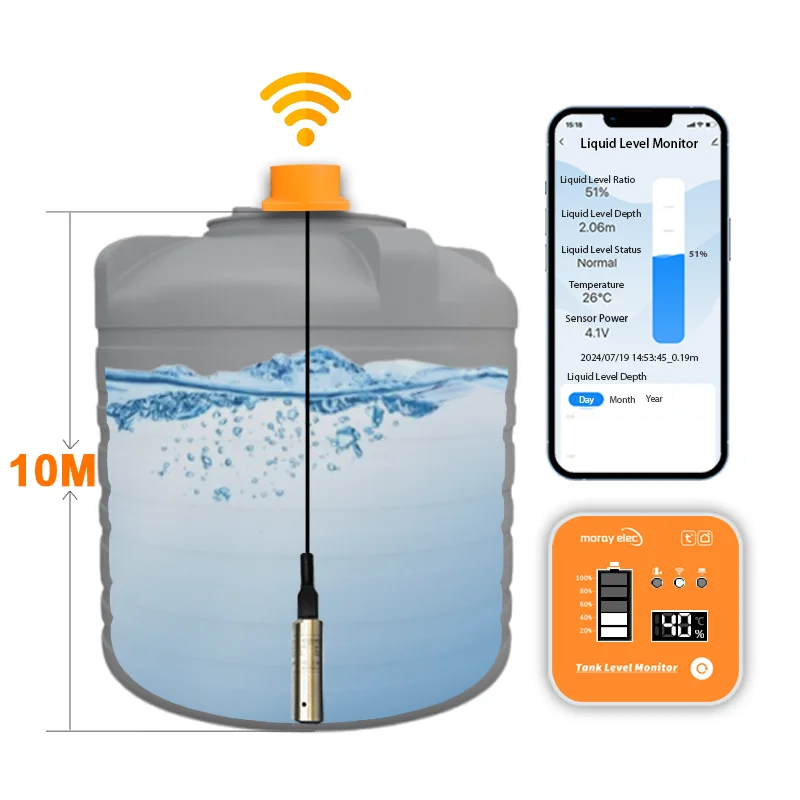
Capteur de niveau de réservoir submersible

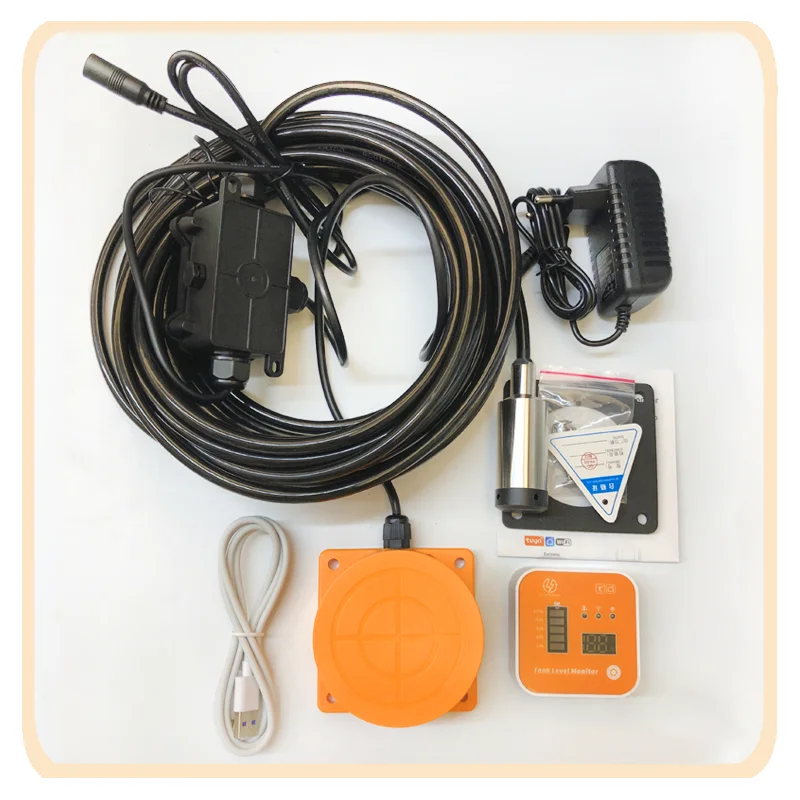


Le capteur à ultrasons Tuya est une technologie remarquable qui offre de nombreux avantages pour diverses applications.
Sa capacité de détection de distance fiable, sa facilité d'installation et d'utilisation, sa grande durabilité, sa polyvalence et ses faibles coûts de maintenance
en font un atout considérable pour tout projet.
Ce capteur est, sans l'ombre d'un doute, un avantage révolutionnaire qui le distingue des autres capteurs.


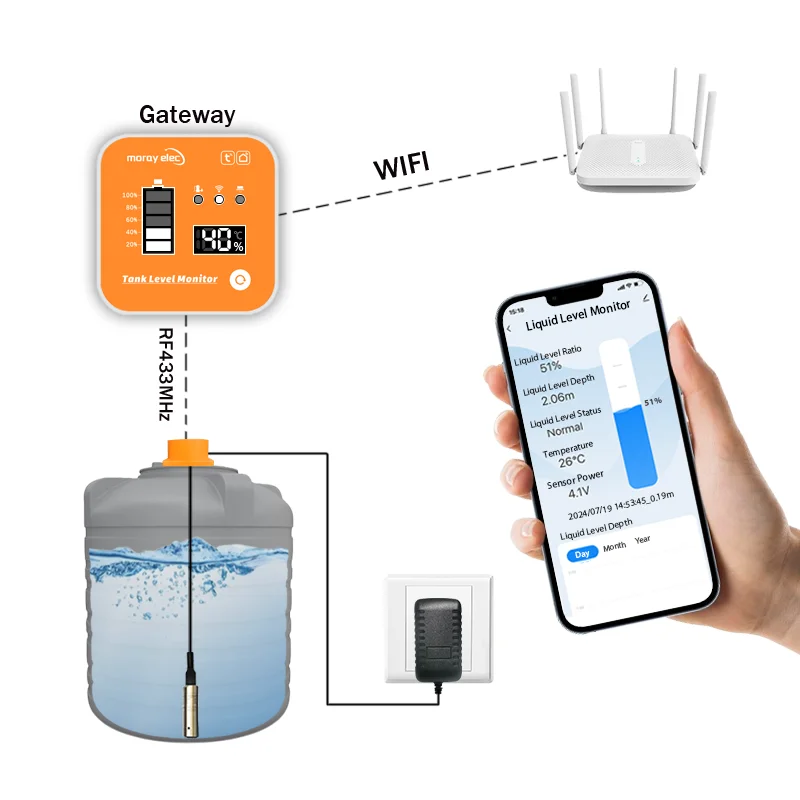
Connexion du produit
1. Mettez d'abord sous tension l'adaptateur CA/CC, puis mettez le capteur sous tension.
2. Scannez le code pour télécharger « TUYA Smart APP" ou « Smart Life APP" sur un appareil mobile.
3. Réinitialisation du réseau
Appuyez sur le bouton et maintenez-le enfoncé pendant 5 s, le voyant LED clignote rapidement, puis relâchez le bouton ; la réinitialisation du réseau,
l'appareil se connecte automatiquement au réseau.
4. Connexion des capteurs à l'application.
Activez le Wi‑Fi et le Bluetooth de votre téléphone, ouvrez l'application et ajoutez l'appareil.

Commande de la pompe (facultatif)
Présentation de l'entreprise


Produits Récemment Consultés
