


Hot Sale 5M ME202R Tuya APP Intelligent Smart Home LCD Temperature Display WIFI Submersible Water Tank Level Controller
Normalna cena
$146.89
Cena sprzedaży
$146.89
Normalna cena
$0.00
Cena jednostkowa
App alerts
1-Year Warranty
Factory support
MORAY SMART · Smart Home Tank Monitoring
Smart water level monitoring for everyday homes, gardens and remote tanks
Hot Sale 5M ME202R Tuya APP Intelligent Smart Home LCD Temperature Display WIFI Submersible Water Tank Level Controller is part of the MoraySmart smart tank monitoring range, designed for C-end users who want a simple way to see tank level from a phone, receive alerts and reduce manual checking.
For water tanks
Use MoraySmart water tank level sensors for rooftop tanks, rainwater storage, garden irrigation, farm tanks and daily household water management. WiFi, Zigbee, RF433, solar and radar options help match different installation environments.
For oil, diesel and LPG
MoraySensor and MorayElec products also support diesel tanks, oil tanks, fuel storage and non-contact LPG cylinder monitoring, helping users plan refills before the tank becomes empty.
Built for app control
Smart Life and Tuya app monitoring makes the product easier to understand for home users: level status, alerts, automation and remote checking are presented in a familiar smart home workflow.

Hot Sale 5M ME202R Tuya APP Intelligent Smart Home LCD Temperature Display WIFI Submersible Water Tank Level Controller


Home, Smart MORAY Home
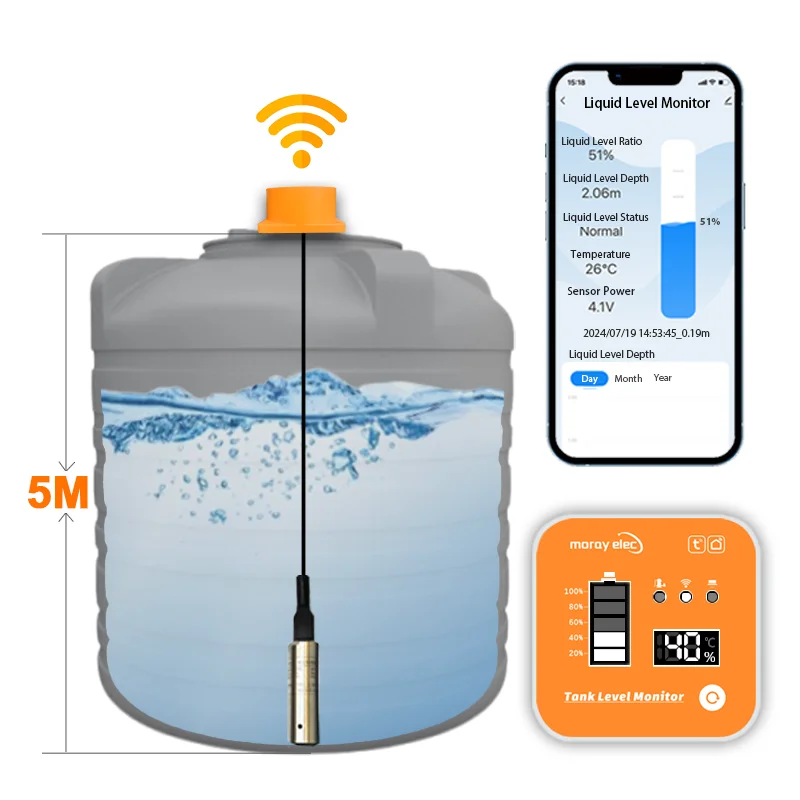
Submersible Tank Level Sensor

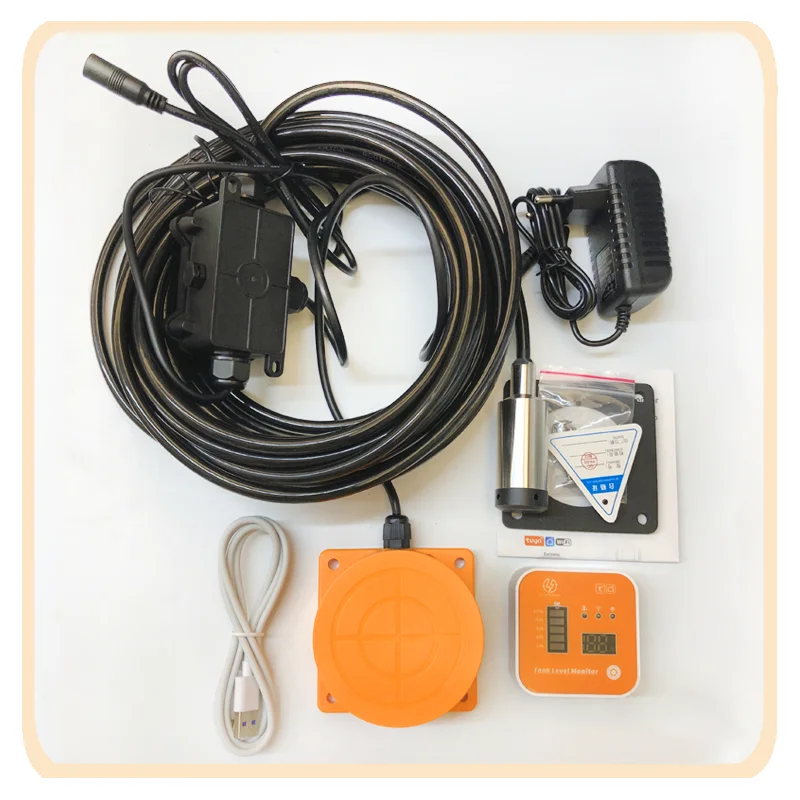


Tuya Ultrasonic Sensor is an outstanding technology that boasts numerous advantages for various applications.
Its reliable distance detection capability, easy installation and use, high durability, versatility, and low maintenance costs
make it an incredible value addition to any project.
This sensor is, without a doubt, a revolutionary advantage that sets it apart from other sensors.


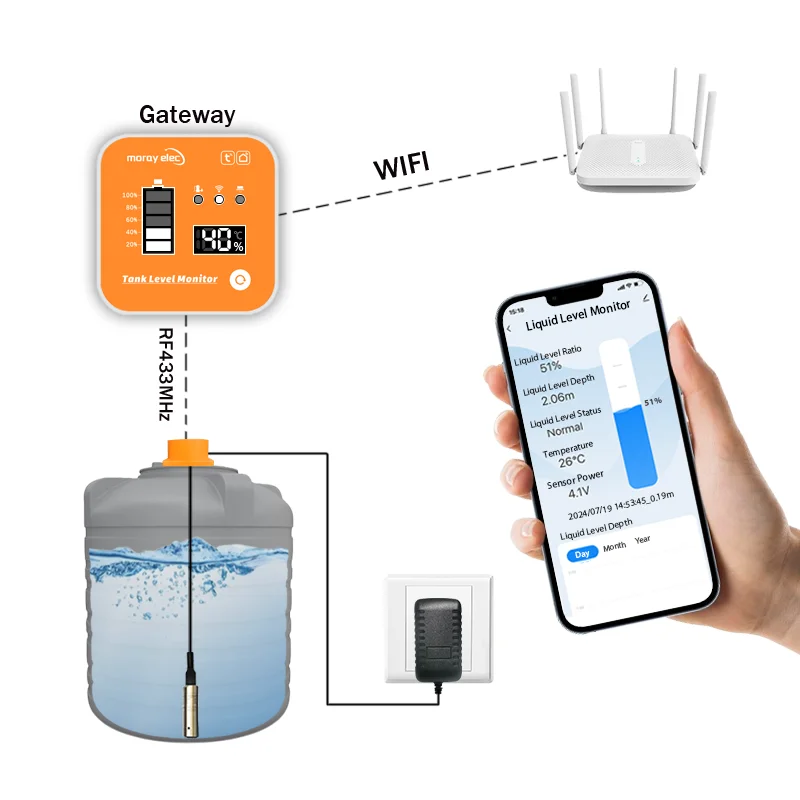
Product Connection
1. Power on the AC/DC ADAPTOR first, and then power on the sensor.
2. Scan code to download “TUYA Smart APP" or “Smart Life APP" on mobile device.
3.Network Reset
Press and hold the button for 5s, the led light flashes rapidly, then release the button, the network reset,
the device connect to the network automatically.
4.Connecting Sensors to APP.
Turn on the WiFi and Bluetooth of your phone,enter the app and add device.

Control Pump(Optional)
Company Introduction


Recently Viewed Products
